-
Brian Stansell replied to the topic Audio Cinema in the forum Fantasy Writers 5 years, 3 months ago
Rose and Cathy,
Did you know that Audacity does have features to change your voice or make it sound like it is in a cave, or speed it up, or slow it down? These features are under the Effects Menu at the top. Simply highlight the area on the audio wave that you want to “effect”, and choose from the Effects – dropdown menu.
Reverb – makes it sound like the speaker is in a cave
Echo – well, “echoes” 😉
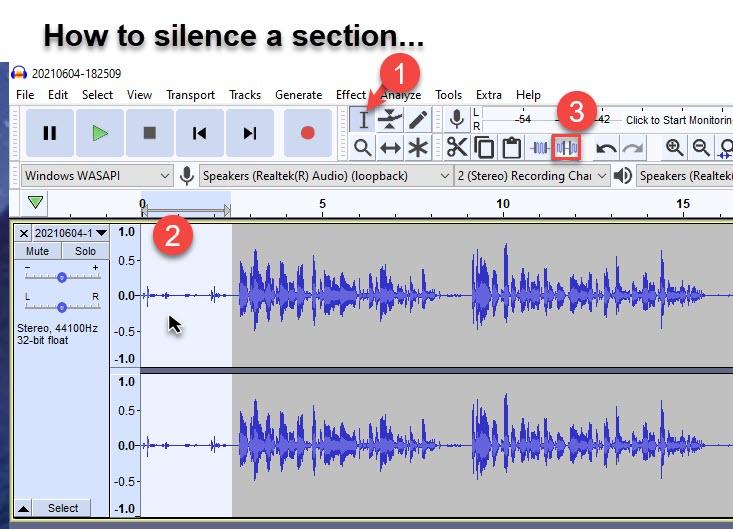
Pitch – raises or lowers an octave level, so if you want to try giving the effect of a “male” voice, (depending on the age of the speaker), you might try lowering the pitch to see what happens.Here is how to Silence a section of the Audio line in 3 Easy steps…


Article Categories